I have had an HTC Desire for about 3 and a half years. In July 2010, it initially came loaded with Android 2.1 (I seem to remember). About a year after that, I rooted with CyanogenMod Rom 7. However, I really missed the HTC Rosie dialler, which allowed to dial and search by name or number. So I put HTCs Sense back on, and thats pretty much how I kept it since then.
Recently, the device has been rebooting when it gets hot (using GPS). It then could not boot, and I had to go into Recovery mode to restore an old backup of Sense. So it was time to look for a new device. But after 3 years, I was very happy with the HTC Desire.
I was looking for a budget (read cheap) phone. Spending R6000 an above just for a phone seems ludicrous, especially since its bound to fall and get damaged. I also wanted a phone for my wife, so I needed two affordable phones.
I had seen the Samsung Galaxy Pocket in Jet, Ackermans and other stores, for about R800. It ran Android 2.2, and seemed OK. However, I decided to get a Galaxy Pocket Plus - S5301. Dion Wired were selling it for about R900. It ran Android 4.0.4, on 4GB RAM with a 850 MHz CPU. Nothing special in terms of specs, but it had Android 4.x.
Perhaps there are other cheaper, non-branded phones from China that have Android 4.x, but I did not see any. There is also a Huawei phone, but I think it was more expensive.
After having it for a few weeks, I don't have any complaints. Yes, it does lag sometimes, but that is to be expected considering the CPU (even the HTC Desire had a 1GHz CPU). Most apps run on it, with a notable exception of Google Now (only > 4.1). And I don't really take pictures, so I don't mind the camera.
This is my first Samsung device, after a run of three HTCs in a row (TyTn II, G1, Desire). I can honestly say that HTC has a superior feel and experience to its devices. Samsung does not even offer a dialler like Rosie? I'm sure the HTC One range knocks the socks off the Galaxy S3/S4.
EDIT:
A recent article highlighted the Vodafone Smart Mini, which has a 1GHz CPU and runs Android 4.1, for only R799.
http://mybroadband.co.za/news/gadgets/83723-vodafone-smart-mini-low-cost-smartphone-launched.html
Saturday, December 14, 2013


Thursday, November 28, 2013
Cracking SIP Digest passwords
I needed to check if SIP passwords that was provisioned on a device was correct, using just wireshark traces to get the different values that was sent between the device and the server.
SIP uses MD5 Digest Authentication, where the password never crosses the wire in clear text. Rather, the password is hashed together with other values, and then the server compares the hash to its own hash computation, to see if they are the same. If they are, then the device must have the correct password.
When a device tries to REGISTER, the server will challenge it with a nonce. The nonce is a one-time key, meant to prevent replay attacks. The device then needs to compute with following:
The device will send the response value to the server for comparison.
In my case, to make sure that the hashes were computed correctly, I checked them like this:
yusufmayet@yusuf-HP-Desktop:~$ echo -n "45345:realm.com:5435" | md5sum
d1c23d485345435e4c9c0bf63 -
Which gave me HA1
yusufmayet@yusuf-HP-Desktop:~$ echo -n "REGISTER:sip:test.co.za:5060" | md5sum
4f20c9ab63453457e44696a3 -
Which gave me HA2
yusufmayet@yusuf-HP-Desktop:~$ echo -n "d1c23d485345435e4c9c0bf63:2d6eb162513045769f23705546gf
0000005297058d:4f20c9ab63453457e44696a3" | md5sum
2263f03dd182ff0c799c97a3c581e534 -
SIP uses MD5 Digest Authentication, where the password never crosses the wire in clear text. Rather, the password is hashed together with other values, and then the server compares the hash to its own hash computation, to see if they are the same. If they are, then the device must have the correct password.
When a device tries to REGISTER, the server will challenge it with a nonce. The nonce is a one-time key, meant to prevent replay attacks. The device then needs to compute with following:
HA1 = MD5(“myusername:asterisk:password”)
HA2 = MD5(“REGISTER:sip:sip.example.com”)
response = MD5(HA1+”:40787c47:”+HA2);
The device will send the response value to the server for comparison.
In my case, to make sure that the hashes were computed correctly, I checked them like this:
yusufmayet@yusuf-HP-Desktop:~$ echo -n "45345:realm.com:5435" | md5sum
d1c23d485345435e4c9c0bf63 -
Which gave me HA1
yusufmayet@yusuf-HP-Desktop:~$ echo -n "REGISTER:sip:test.co.za:5060" | md5sum
4f20c9ab63453457e44696a3 -
Which gave me HA2
yusufmayet@yusuf-HP-Desktop:~$ echo -n "d1c23d485345435e4c9c0bf63:2d6eb162513045769f23705546gf
0000005297058d:4f20c9ab63453457e44696a3" | md5sum
2263f03dd182ff0c799c97a3c581e534 -
Which gave me response
I could then compare the response values to make sure that it matches, and therefore the correct password was used.
Another way it to this node application to calculate the password, based on the above values. Once you have node.js installed, simply calling this app with node and the correct values, will generate the password. In my case, because the password contained numbers, I had to include numbers in the lower_case array in the application code.
Friday, September 27, 2013
Desktop setup
My previous post spoke about using Synergy as a software-based KVM. But to really see how useful it is, lets see how it fits into the bigger picture. This is my desktop at the moment:


- MacBook Pro 13" (Previously HP XPS 13'' laptop - Windows 7)
- HP Pro Desktop PC - Ubuntu 14.04
- Samsung 21.5'' LED monitor
- Logitech MX mouse
Both the laptop and the desktop are connected to the big screen - one via VGA, the other via DVI. I use the one mouse and keyboard to control both environments, using Synergy. Most of the time, Ubuntu is on the big screen. However, if I need to use the big screen for Windows as an extended desktop, I can quickly switch the screen from the VGA to the DVI input.
I keep files in sync between Windows and Linux using Unison. This is a two way sync, allowing both the environments to see my latest file changes. Between the MacBook Pro and Linux I use BitTorrent Sync, which is a private Dropbox replacement. I also setup TimeMachine on the MBP to backup to an external HDD plugged into Linux
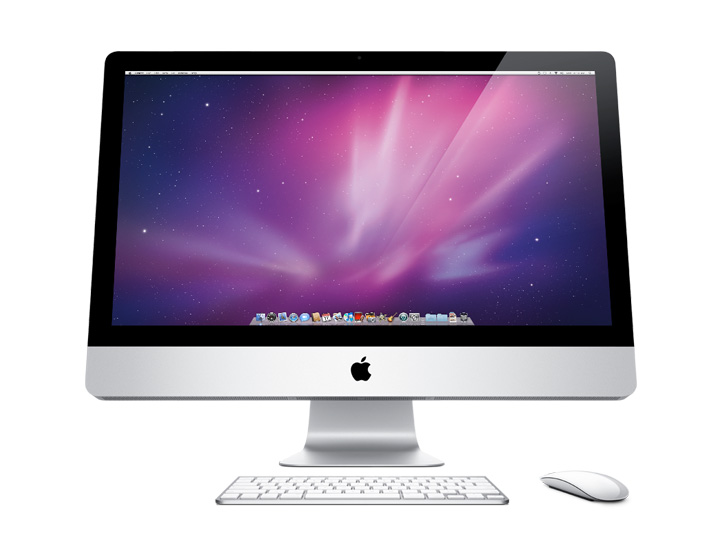
This is pretty much an almost exact copy of the desktop setup I used about 4 years ago. I dont know how long I will be using this setup though - I might soon switch to using a Mac. Maybe one day when I grow up, perhaps I can get a 27'' iMac, which one of the guys here uses:
Subscribe to:
Posts (Atom)